

Specialized Web Development for Health Professionals (WordPress & Custom Solutions)
1. Core Functionality: Scheduling & Patient Management
This is the non-negotiable cornerstone of a health professional’s website, using WordPress plugins like Bookly, Amelia, or KiviCare:
- Appointment Calendars / Online Booking:
- 24/7 Self-Scheduling: Allows patients to view real-time availability and book appointments online, reducing administrative overhead.
- Staff/Multi-Location Management: The ability to assign appointments to specific staff members, doctors, or different clinic locations.
- Google/Outlook Calendar Sync: Seamlessly integrates with the staff’s existing digital calendars to prevent double-bookings.
- Automated Communication:
- SMS & Email Reminders: Reduces no-shows by automatically sending appointment confirmation, reminders, and follow-up messages.
- Secure Messaging: Provides a protected channel for communication between staff and patients (often requiring a HIPAA/GDPR-compliant wrapper or add-on).
2. Data & Access Control (Security and Membership)
For patient privacy and professional-only content, robust access control is vital:
- Secure File Uploads (Patient/Staff):
- Enables patients to securely upload required documents (insurance cards, referral letters) or for staff to share non-clinical information. Crucially, this must be built with HIPAA/GDPR compliance in mind, often involving secure hosting and encryption features.
- Staff/Member Access Portals:
- Staff Profiles & Directories: Private or public listings of professionals with biographies, specialties, and qualifications.
- Membership/Patient Portals: Secure, password-protected areas for registered patients to manage their appointments, view basic visit summaries, or access educational resources.
- Healthcare Professional Authentication (e.g., DocCheck/DocID integration): For websites that require authentication to verify a user is a licensed medical professional before granting access to sensitive content.
3. Advanced Medical Visualization & Interactivity
This is a key differentiator, moving beyond standard brochure-ware websites to provide genuine utility:
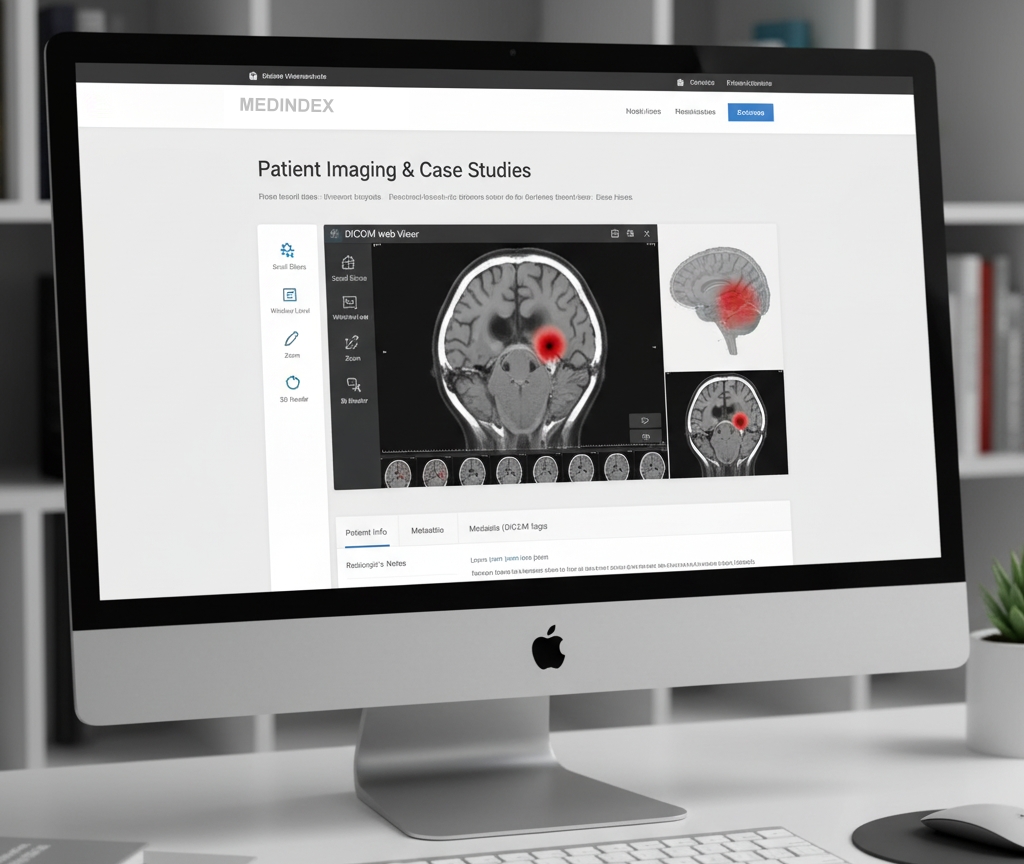
- 3D Viewer or DICOM Viewer Integration:
- DICOM File Support: Allows the website to securely upload and display medical imaging files (like X-rays, MRIs, CT scans) using specialized plugins (e.g., DICOM Support, DICOMViewer, or integrations with CloudPACS solutions).
- Viewer Functionality: Provides basic tools for viewing, scrolling through slices, adjusting window/level, and potentially 3D rendering of anatomical models for patient education or professional consultation.
4. Platform & Compliance
- Built on WordPress: Utilizing the world’s most popular CMS for ease of content management, flexibility, and a large ecosystem of themes and plugins.
- Custom Plugin Development: Building unique functionality that isn’t available off-the-shelf, such as highly specific insurance verification forms or complex billing integrations.
- Security & Compliance: Ensuring the site architecture, hosting, and all data handling processes meet regulatory requirements like HIPAA (US) or GDPR (EU).
WordPress Plugins for EMR / Clinic Management
- KiviCare – Clinic & Patient Management System (EHR)
- This is probably the most “full‑blown” EMR-style plugin on WordPress.
- Key features: appointment booking, patient records, encounter (visit) management, doctor scheduling, patient portal.
- Roles: multiple roles supported (doctor, receptionist, patient, admin).
- Payments: integrates with PayPal in free, and with WooCommerce in Pro.
- Telemedicine: has add-ons for Zoom and Google Meet.
- Multi‑clinic support: yes.
- Self‑hosted: data stays on your WordPress setup, which gives you more control.
- Localization: supports multiple languages / RTL.
- DocBooker – Doctor Appointment & Hospital Management
- More focused on appointment management and “hospital operations,” less on deep clinical records.
- Allows adding doctors with their profiles, clinics, schedule management.
- Useful if your “EMR” requirement is mostly about managing visits and bookings rather than detailed medical record‑keeping.
- WP Medical Records (Garaz Lab)
- This is a plugin that claims to support “real-time health data” (e.g., step count, heart rate, labs, medications, allergies).
- More of a health dashboard / personal health record than a full clinical EMR; depends how you define EMR.
HIPAA / Security / Compliance Plugins
If you’re handling PHI (Protected Health Information) and are concerned about HIPAA or similar compliance, here are some plugins to help:
- HIPAAtizer
- Provides HIPAA‑compliant form building with a drag‑and‑drop builder.
- Lets you embed secure forms via Gutenberg or shortcode.
- Supports “save & continue later,” is built to store data securely, etc.
- HIPAA FORMS – Code Monkeys
- Integrates with Caldera Forms or Gravity Forms.
- Encrypts form submissions, sends to HIPAA-compliant storage instead of your server.
- Generates encrypted, password‑protected PDFs for submitted data.
- Tracks access (audit log) for data viewing.
- Secure Forms (by Infinite Uploads)
- Works with Forminator forms.
- Encrypts form data before sending.
- Requires API key; data stored securely rather than in plain text on your server.
⚠️ Important Considerations & Risks
- HIPAA Compliance: Just installing “HIPAA‑aware” plugins does not automatically make your WordPress site fully HIPAA compliant. You need to consider hosting, backup encryption, SSL/TLS, access control, and potentially sign a Business Associate Agreement (BAA) with service providers. As some folks note: “WordPress can be configured for HIPAA compliance … but it requires strict controls … Avoid storing PHI directly in WordPress if you can.”
- Security: Storing sensitive patient data on WordPress comes with risk: you must keep WordPress and plugins up to date, secure your database, and control access.
- Scope: Define clearly what you mean by “EMR” — do you just need appointment + basic patient data, or full clinical encounter notes, lab tracking, prescriptions, billing, reporting? Your needs will heavily influence which plugin is appropriate.
- Scalability & Support: If you’re building something critical, make sure the plugin you pick is actively maintained, has good support, and is tested for scale.
- Regulatory & Legal: Depending on your jurisdiction, there might be more than just HIPAA to worry about (e.g., GDPR, other health data laws).